
 Victoria

THINKCAR and MUCAR are two badges on one catalogue. They share a store, share accessories, and the model numbers cross over — a THINKSCAN tablet takes the same MUCAR endoscope, and both flagship tablets accept the same TPMS and key tools. Anyone shopping the range quickly works out that the brand on the case matters far less than where a given model sits on the ladder.
This review looks at the range as a whole: what the ladder actually is, where the money goes, what the update terms mean in practice, and who each tier is wrong for. We have not used these tools on a vehicle. What follows is read from the published function lists and specifications, cross-checked against how OBD2 diagnostics work generally, with the gaps called out rather than glossed over.
What the range is, in one paragraph
Five rungs. A plug-in code reader for the check-engine light. A four-system handheld that adds ABS, airbag and transmission. A Bluetooth dongle that turns your phone into a full-system scanner. A tablet with bidirectional control and coding. And at the top, a workshop tablet with topology mapping or J2534 pass-through. Every rung above the first can read more of the car than the one below it, and the price of each step is roughly the value of the systems it unlocks.
A caution before any of this is useful
A scan tool tells you what a module recorded. It does not tell you what to replace. The gap between those two things is where most money is wasted: a code naming a sensor is frequently set by a wiring fault, a vacuum leak or a second failure upstream, and the sensor itself is fine. Read the code, then work out what could produce it before you buy a part.
Bidirectional control deserves a specific warning. Commanding a radiator fan, a fuel pump or an ABS pump motor while somebody has their hands in the engine bay or is bleeding a brake circuit can hurt them. Use active tests deliberately, with the vehicle in a known state and nobody working on the car. And for live airbag or ABS faults, read the codes to understand the scope but let a shop confirm the repair — those are the two systems where being wrong has consequences you cannot walk back.
The diagnostic ladder
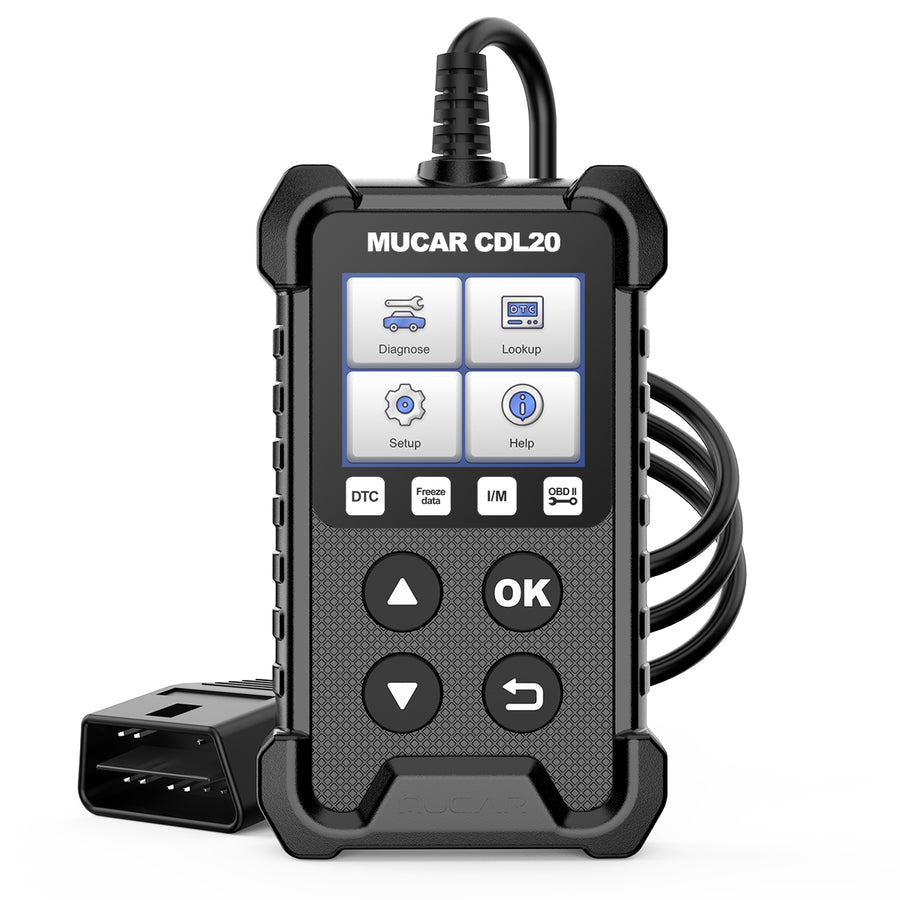
MUCAR CDL20
Plug-in OBD2 code reader. No app, no account, no battery. Reads and clears engine codes, checks emissions readiness, shows freeze frame and live data.
- Nothing to charge or pair
- Lifetime free updates and lifetime warranty
- Built-in short-circuit protection on the power supply
- Engine and emissions only
- No resets, no bidirectional tests
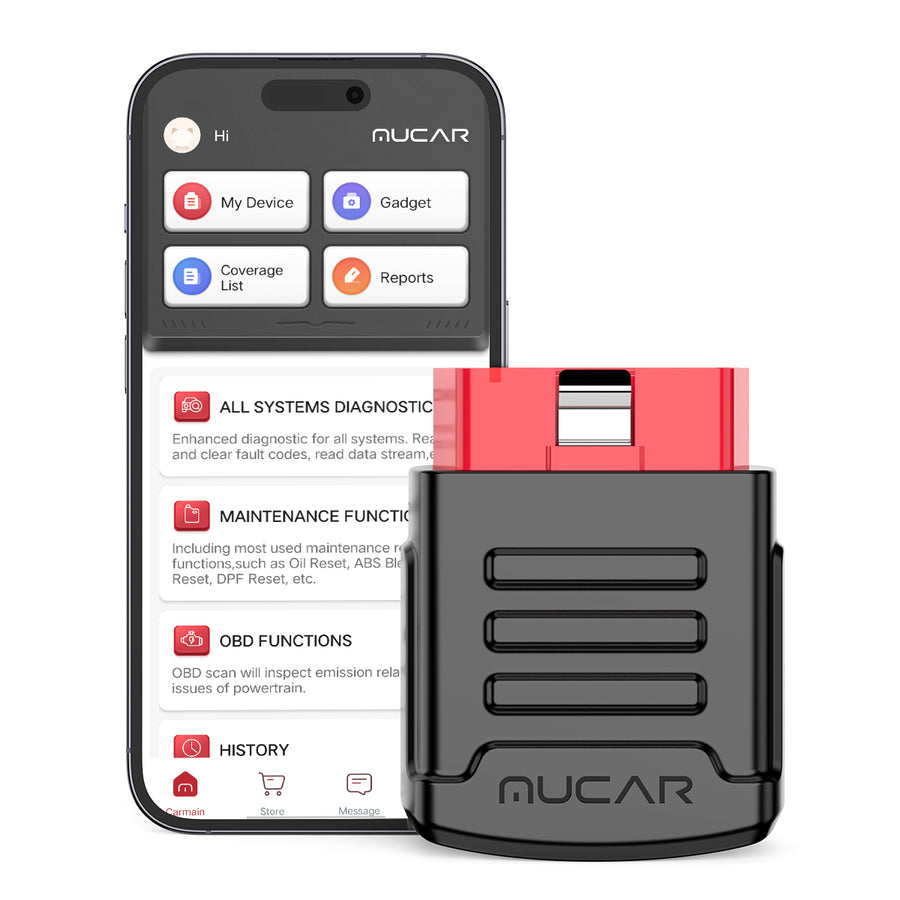
MUCAR BT200
Bluetooth dongle giving full-system diagnosis across roughly 115 makes through your phone, with AutoVIN and a four-in-one live data view.
- Full-system scan free for the life of the tool
- Twelve interface languages
- Stays in the port — nothing to store
- Two reset services on the base model, fifteen on the PRO
- Reset services renew annually
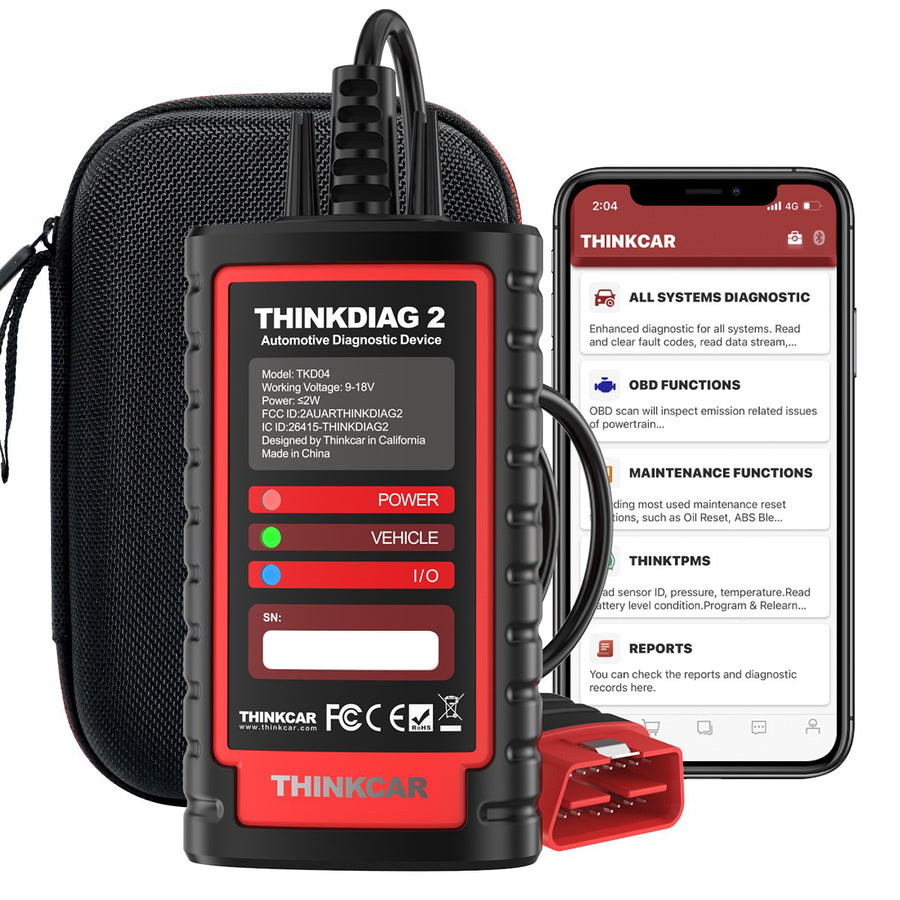
THINKDIAG 2
The dongle that behaves like a tablet: OE-level all-system access, ECU coding, bidirectional tests, adaptation and matching, plus CAN FD.
- CAN FD support for newer vehicles
- ECU coding and active tests from a phone
- Prints a vehicle health report; 120+ brands
- One year of free updates, then chargeable
- Sixteen maintenance functions only
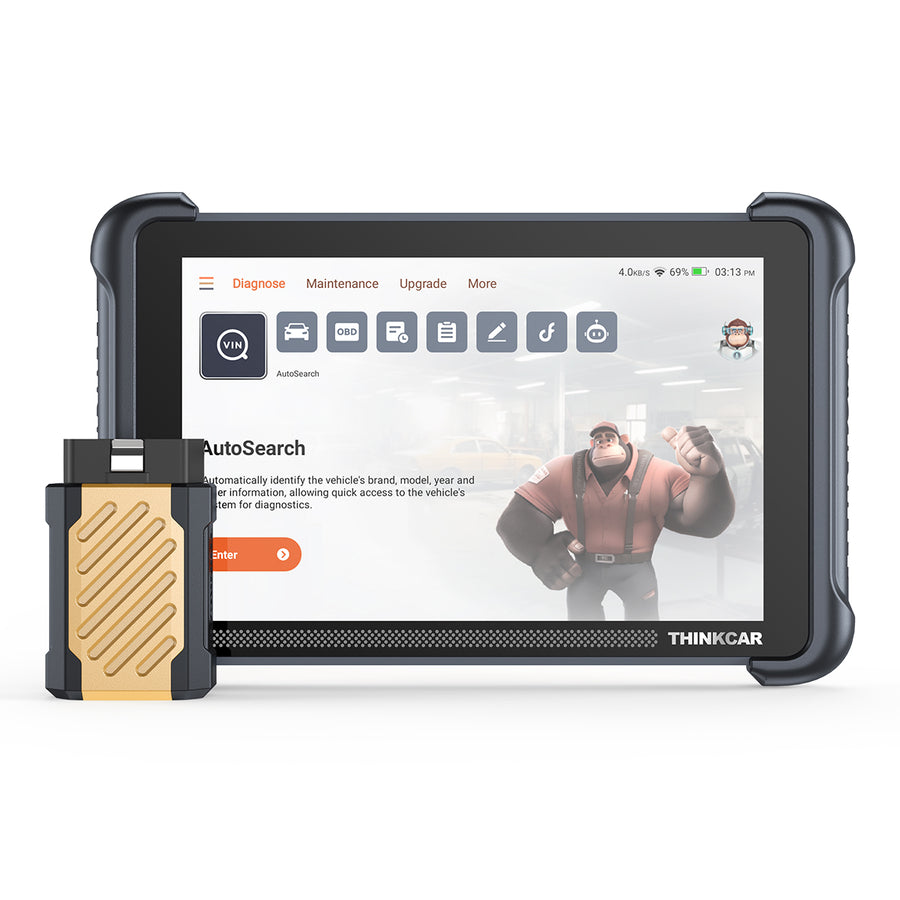
THINKSCAN 689BT
8-inch Android tablet with a Bluetooth VCI. Full-system diagnosis, coding, bidirectional tests, 34+ service functions, and it accepts the brand accessories.
- CAN-FD and DoIP
- AutoAuth for the FCA security gateway
- Expands with TPMS tool, endoscope and oscilloscope
- 4GB RAM / 64GB storage, WiFi updates
- Software renewal becomes a recurring cost
- Accessories are separate purchases
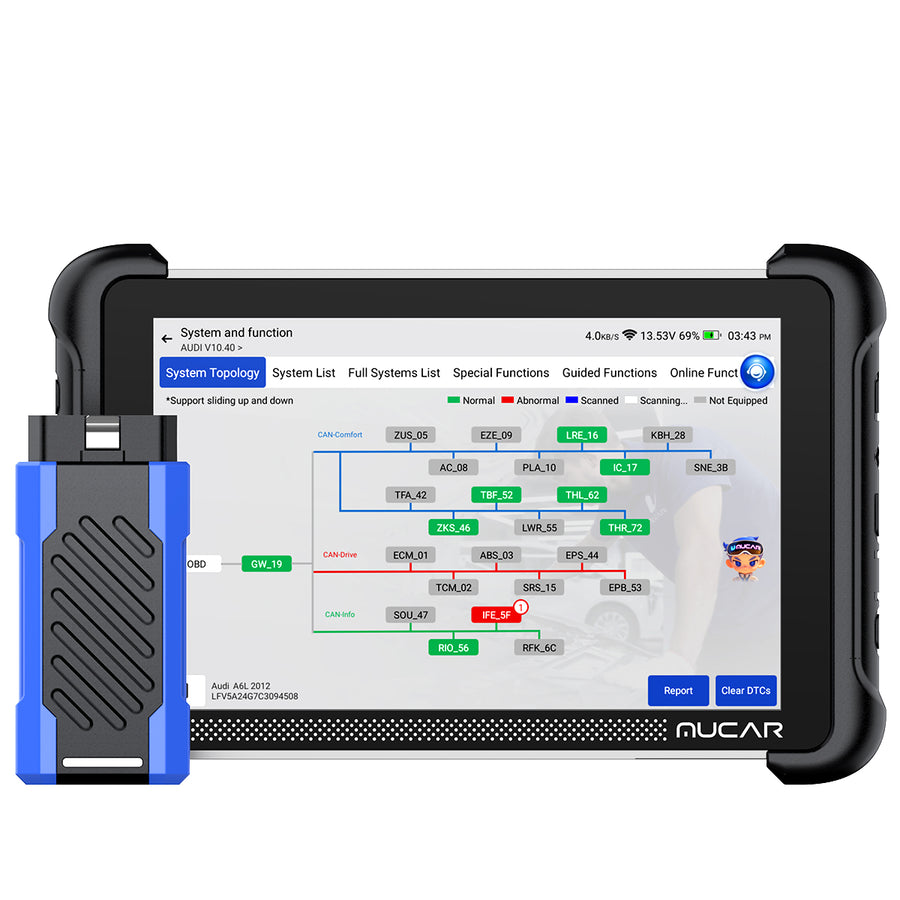
MUCAR 892BT PRO
Same tablet class as the 689BT, with a topology map of the vehicle network and J2534 pass-through for OEM software workflows.
- Topology map flags modules that are not answering
- J2534 pass-through
- 35+ resets, CAN-FD, DoIP, free lifetime updates
- Topology and J2534 are wasted on a one-car household
- OEM subscriptions are a separate cost on top of J2534
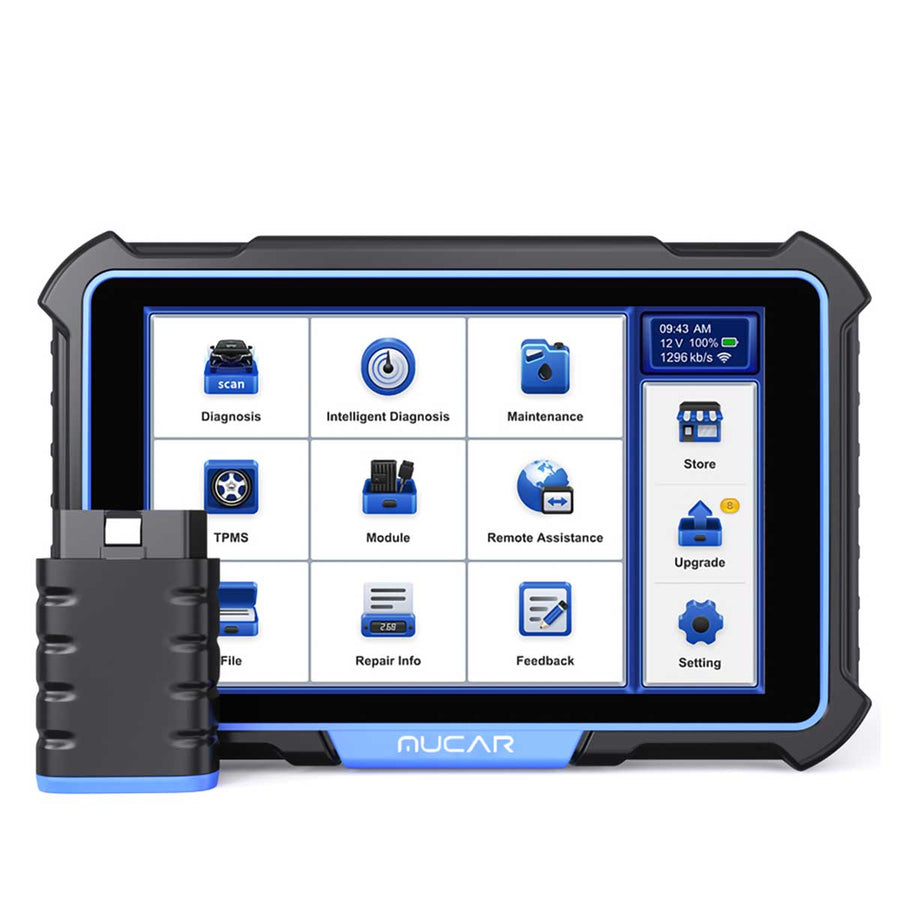
MUCAR VO8
The top tablet: around 3,000 bidirectional and active tests, advanced coding, a 9450mAh battery, an 8MP camera and a bundled accessory toolkit.
- No subscription or annual fee at all
- Guided VW/Audi repair procedures
- Battery lasts a working day
- Overkill for a single family car
- Guided-repair depth is thinner outside the VAG group
The accessories that make the tablets worth it
The tablets are the only part of the range with an expansion story, and it is a real one rather than a marketing line. The 689BT and 892BT PRO both accept the same add-ons, which means the tool you buy this year can pick up a capability next year without being replaced.
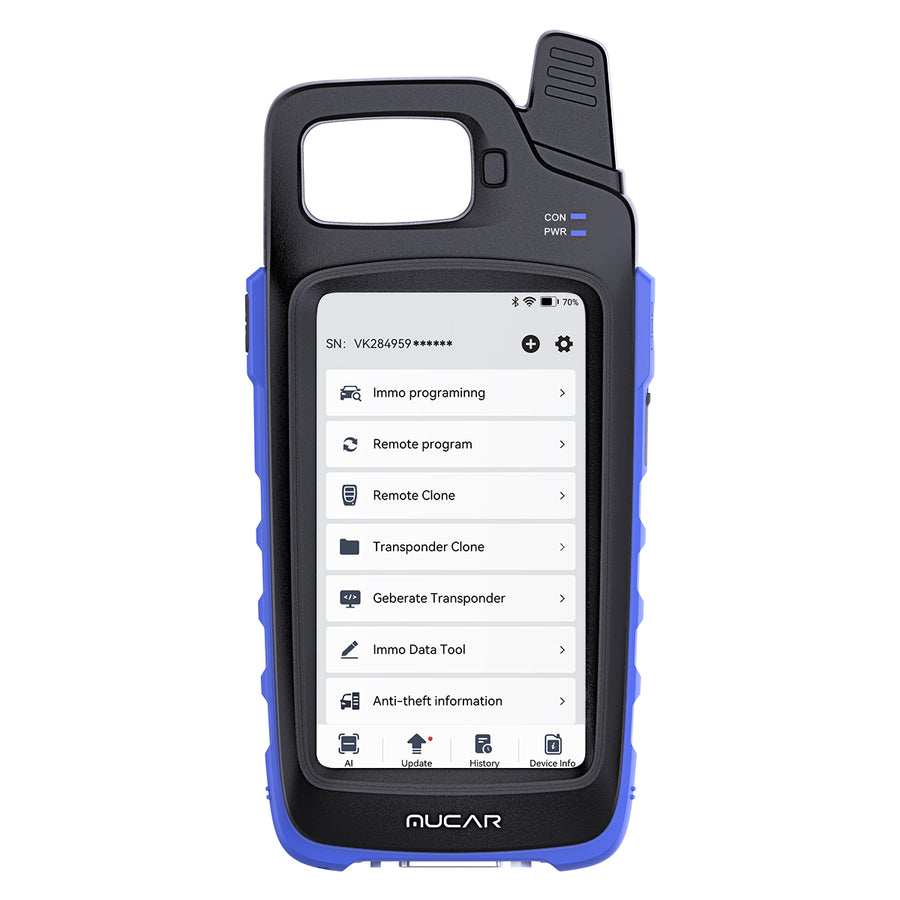
MUCAR KEY581
Reads, writes, clones and generates keys for a stated 8,000+ models, with full OBD2 diagnostics, CAN FD, nine maintenance functions and a built-in battery and leakage test.
- Key cloning and generation, not just reading
- Battery and electrical leakage testing built in
- Lifetime free updates
- Key work on many modern vehicles still needs dealer authorisation
- Nine maintenance functions is a short list beside the tablets
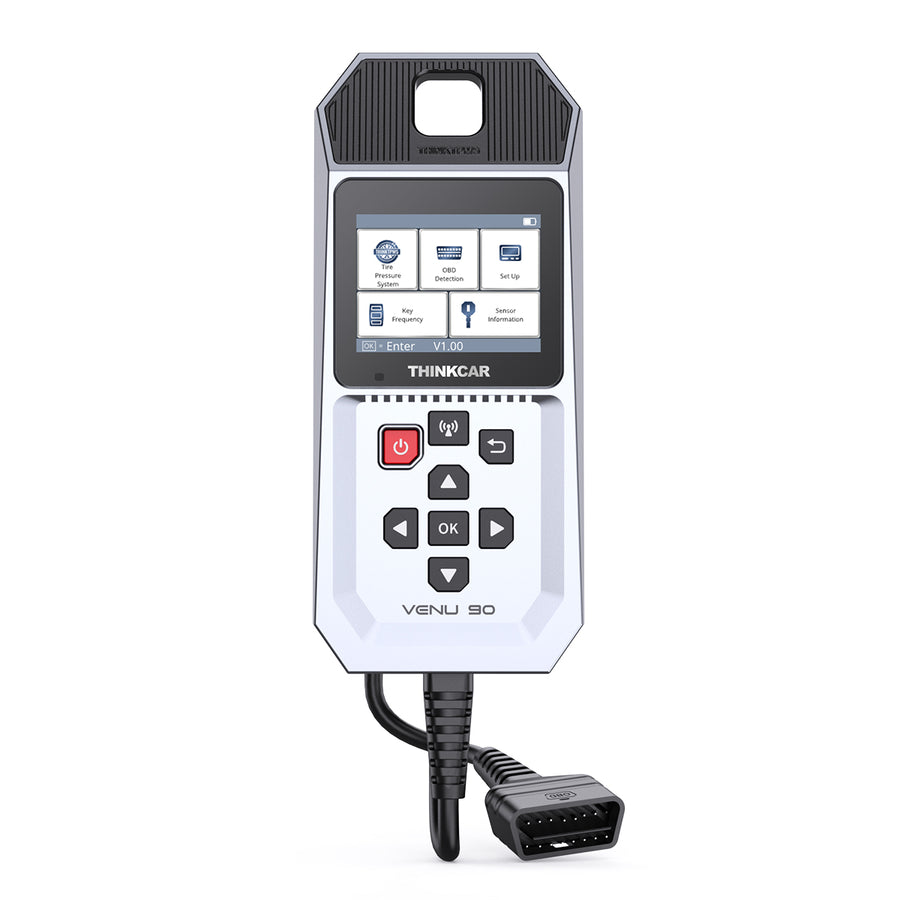
THINKCAR VENU 90
A standalone TPMS tool: it activates 315MHz and 433MHz THINKCAR sensors, programmes them without limit, and walks you through the relearn procedure on a stated 98% of brands.
- Works on its own — no app and no host tablet needed
- Unlimited repeat programming
- WiFi and SD card updating
- Programming is for THINKCAR sensors, so you are buying into their sensor stock
- A tyre shop usually does this free with a new tyre purchase
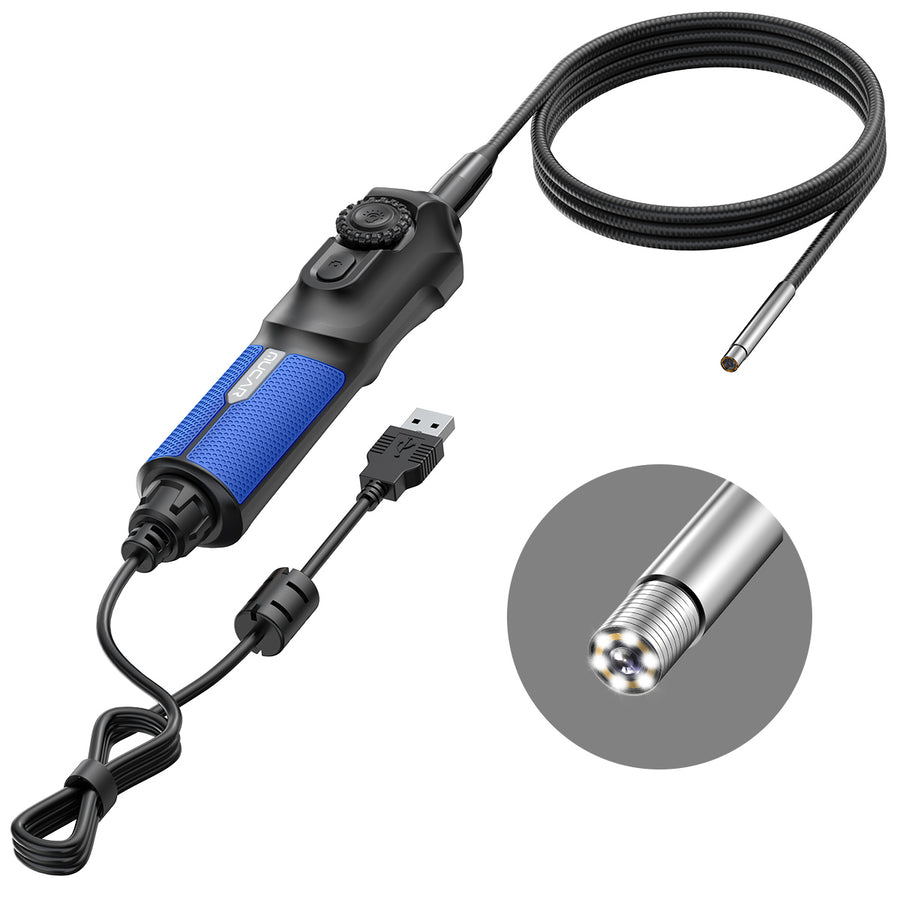
MUCAR E021
A 5.5mm articulating borescope with an IP67 tip and six adjustable LEDs, for looking inside a cylinder, behind a manifold or down a rocker cover without taking anything apart.
- 35-inch articulating probe reaches around corners
- IP67 immersion-rated tip survives oil and coolant
- Saves stills and video
- 1280×720 is adequate, not sharp — fine cracks are easy to miss
- Only useful paired with a compatible tablet or PC
Where the range is strong
Update terms that are unusually clear
Several models in this range advertise lifetime free updates on their core function, and the VO8 goes further and states no subscription or annual fee at all. In a category where the usual commercial model is a low entry cost followed by a yearly renewal you cannot avoid, a flagship with no recurring charge is a genuine differentiator and worth weighing against a cheaper tool with a meter running.
Bidirectional control reaches lower down the ladder than usual
Active testing has historically been the line between a consumer tool and a shop tool. Here it appears on the CDE900 PRO as an unlockable upgrade and natively from the 689BT upward, which puts “command the component and watch it move” within reach of someone who is not running a workshop. That single capability changes how much diagnosis you can actually finish yourself.
The accessories are a coherent system, not add-on clutter
The endoscope, the TPMS tools and the key programmers all talk to the flagship tablets, and the same accessory works across both brands. That means a tool bought for engine diagnosis can later become a TPMS tool or a borescope host. Very few ranges at this level do that.
AutoAuth for FCA vehicles is handled properly
Chrysler, Dodge, Jeep and Ram vehicles since 2018 sit behind a security gateway that blocks writes from unauthorised tools. The 689BT lists AutoAuth, and a 12+8 bypass adapter is sold separately. This trips up a lot of buyers of cheaper scanners, and it is good to see it addressed rather than ignored.
Where we would be careful
The model naming is genuinely confusing
CS4, CS6, CS90, CDE900, CDE900 Lite, CDE900 PRO, VO6, VO7, VO7-S, VO8, 892BT, 892BT PRO, 689, 689BT — and that is before the THINKSCAN and THINKDIAG lines. Two models one digit apart can differ by whether they do bidirectional tests at all. Read the function list on the specific product page; do not assume a higher number means a superset of the lower one.
“Lifetime free updates” needs reading carefully
It is usually true and usually narrower than it sounds. On most models it covers OBD2 function and full-system diagnosis, while the maintenance and reset functions — the ones you want when you are changing rear brake pads on a car with an electronic parking brake — run on a one-year term. The CDE900 family goes further and sells capability tiers as upgrade packages, so the tool in the box is deliberately less than the tool on the spec sheet.
Reset counts are a marketing number
“28 maintenance functions” and “35+ resets” sound decisive, but the specific resets you need are determined by your car, not by the count. If you need SAS calibration and DPF regeneration, a tool with fifteen resets that includes both beats a tool with thirty-five that does not. Check the named list, not the total.
Key programming is not as open as it looks
The KEY581 claims 8,000+ models, and that is plausible for the vehicles where key data is still accessible over OBD. But on a growing number of recent vehicles, adding a key requires manufacturer authorisation or a security code the tool cannot generate — which means the capability you bought may stop at your car. Verify your specific year and model before buying a key tool for one job.
AI repair suggestions are a hint, not an answer
The 892BT PRO advertises AI help for codes and fixes. Treat that the way you would treat a very well-read stranger in a parts store: often a useful starting point, occasionally confidently wrong, and never a substitute for testing the circuit yourself.
Who should buy what
One car, and you only want to know whether the light means “drive to the shop” or “stop now”: the CDL20. Nothing above it earns its keep for this use.
You do your own brakes, fluids and filters and want the ABS and airbag systems visible: the CS4 if you want a dedicated handheld, or the BT200 if you would rather diagnose on your phone.
You want to finish a diagnosis rather than narrow it: the THINKDIAG 2 if the phone form factor suits you, the THINKSCAN 689BT if you would rather have a proper screen. The 689BT is the model we would point most serious DIY owners at.
You work on other people’s cars: the 892BT PRO for the topology map and J2534, or the VO8 if the absence of any subscription matters more to you than topology mapping does.
If you would rather compare the eight diagnostic tools side by side with the reasoning laid out per model, that is in our guide to the eight THINKCAR and MUCAR scanners.
FAQ
Is THINKCAR the same as MUCAR?
They are sister brands sold through the same store and sharing accessories and firmware lineage. The practical answer is to compare model numbers and function lists, not badges.
Will a lifetime-update tool really keep working on a new car?
Updates keep the vehicle coverage current, which is what matters as cars age into the tool. The harder limit is protocol: a tool without CAN-FD or DoIP cannot reach some modules on recent vehicles no matter how current its database is. That is hardware, not software, and no update fixes it.
Do I need the endoscope or the TPMS tool?
Almost certainly not on day one. Buy the diagnostic tablet, use it for a year, and see whether you keep running into a job you cannot finish. The accessories exist so you can answer that question later instead of guessing now.
Can these tools programme a key on their own?
The KEY581 reads, writes, clones and generates keys on the vehicles where that data is reachable over OBD. On many recent vehicles it is not, and the job needs manufacturer authorisation. Check your specific vehicle rather than the headline model count.
Is the verdict positive?
Qualified yes. The strengths are real — bidirectional control lower down the range than usual, an accessory system that actually connects, and at least one flagship with no subscription at all. The reservations are about clarity rather than capability: the model naming is a maze, and “lifetime updates” covers less than it appears to. Work out which specific functions your car needs, find the cheapest model in the range that names all of them, and ignore everything above it.