
 Victoria

A check-engine light is not a diagnosis. It is a note saying one module recorded something outside its expected range, and the whole job of an OBD2 scanner is to hand you that note in readable form. What separates a scan tool you use twice from one you keep in the garage for a decade is how far past that note it can see: whether it reaches the ABS and airbag modules, whether it can command a component to move so you can tell a dead part from a dead wire, and whether the maker keeps updating it once your car is no longer new.
This guide works through the THINKCAR and MUCAR range, from a plug-in code reader to a workshop tablet, and says plainly who each one is wrong for. If you want a cross-brand comparison instead, that is our best OBD2 scanners guide. We have not had these tools on a car ourselves. Everything below is drawn from the published specifications and function lists, and where a capability is gated behind a paid upgrade or a renewal we say so rather than counting it as included.
Before you buy: what a scanner can and cannot tell you
A scan tool reports. It does not prescribe. A P0420 code means the downstream oxygen sensor is not seeing the change it expects across the catalytic converter — that is consistent with a failed converter, and equally consistent with an exhaust leak ahead of the sensor, a lazy sensor, or a fuel trim problem upstream. Replacing the converter because the code named it is the single most expensive mistake people make with these tools.
Two practical limits are worth knowing before you spend anything. First, clearing a code does not fix anything — it erases the record and resets the readiness monitors, which is exactly what you do not want in the week before an emissions test. Second, bidirectional control is genuinely dangerous if used carelessly: commanding a cooling fan, a fuel pump or an ABS pump motor while someone has their hands near the belt or is bleeding a brake circuit can injure them. Use active tests with the car in a known state and nobody under the hood.
If the car has an active safety fault — a live airbag light, an ABS warning, a brake warning — read the codes to understand the scope, then let a shop confirm the repair. Those two systems are the ones where a wrong guess has consequences you cannot undo.
The eight tools, ranked by who they suit
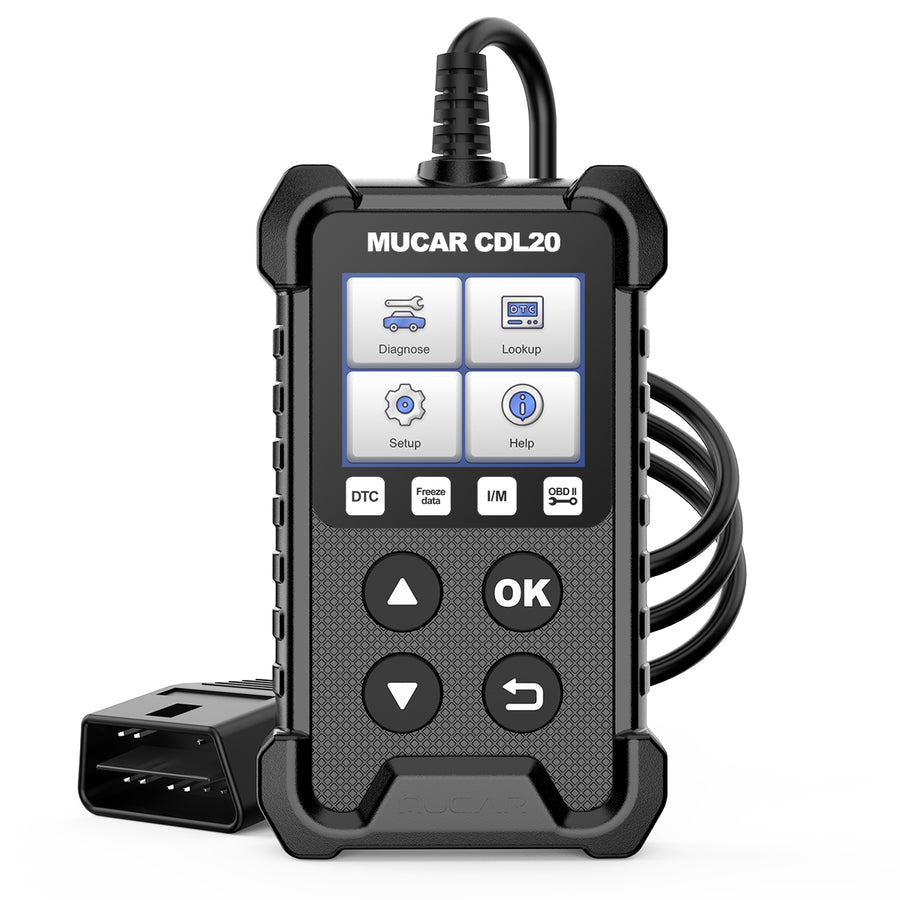
MUCAR CDL20
A plug-in code reader with no battery, no app and no account. It reads and clears engine codes, shows live data and runs the emissions-readiness check, and that is the whole scope.
- Plug and play, powered by the car
- Reads/clears codes, live data, freeze frame, O2 and EVAP tests
- I/M readiness check before an emissions test
- Lifetime free updates, seven interface languages
- Engine/emissions only — it cannot see ABS, airbag or transmission faults
- Small monochrome-era interface compared with a tablet
- No bidirectional tests and no service resets
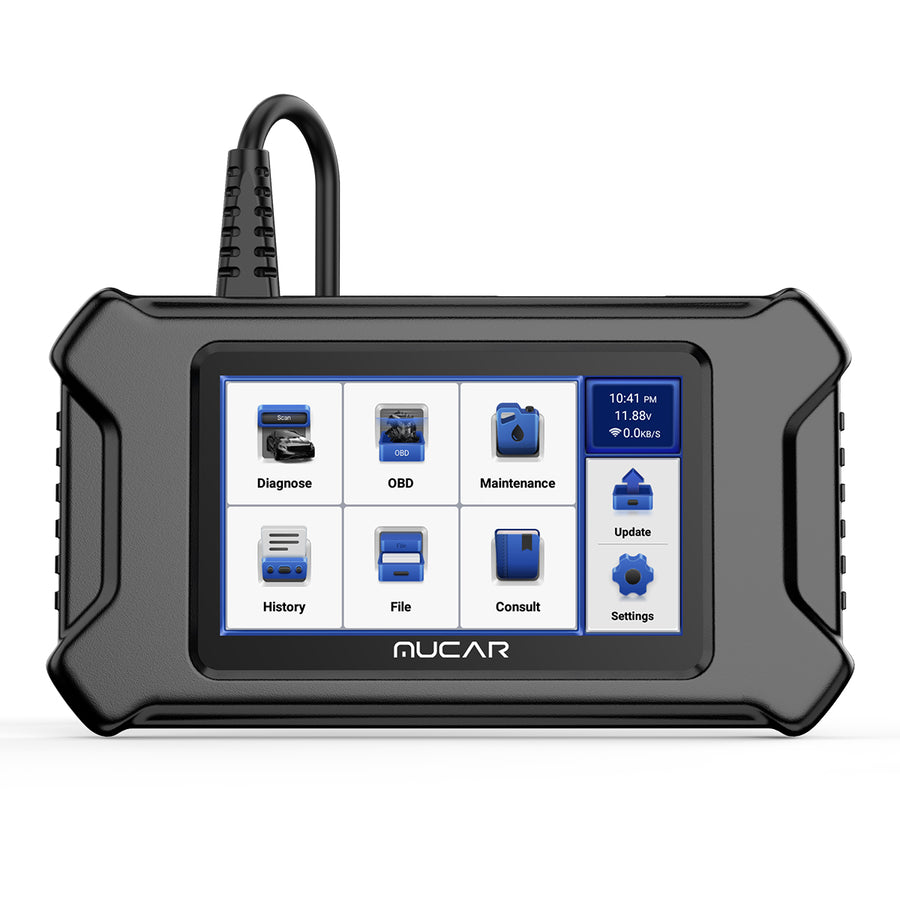
MUCAR CS4
The step up most home mechanics actually need: it reads the four systems that matter for a roadworthy car, and adds five of the service resets you otherwise pay a shop for.
- Diagnoses engine, transmission, ABS and airbag
- Five reset services, including oil service
- AutoVIN identifies the car without menu-diving
- Live data recording and playback
- Four systems only — body, comfort and infotainment modules are out of reach
- No bidirectional/active tests
- Reset list is short next to the tablets below
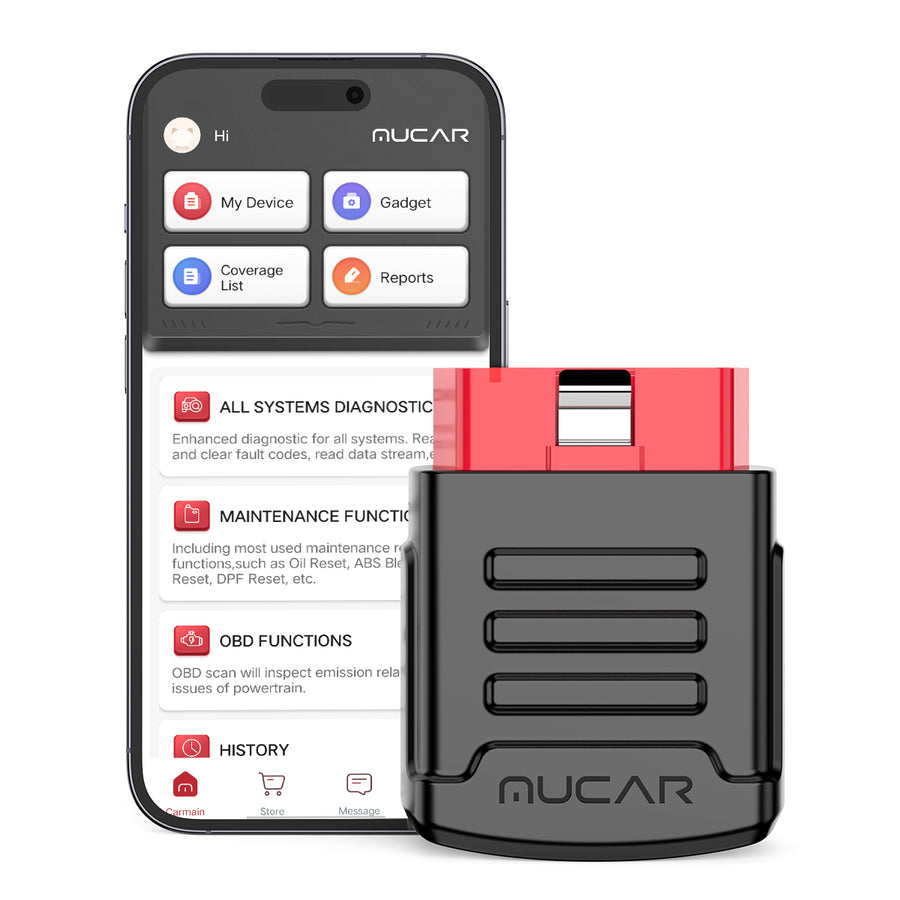
MUCAR BT200
A Bluetooth dongle that leaves the screen to your phone. Full-system diagnosis across roughly 115 makes, with the OBD2 functions free for the life of the tool.
- Full-system scan, not just the engine
- Lifetime free OBD2 functions and full-system diagnosis
- Stays plugged in — no tablet to store or charge
- Twelve interface languages
- Base model includes only two reset services; the PRO version carries fifteen
- Reset services run on a one-year term, not lifetime
- Depends entirely on your phone and a stable Bluetooth link
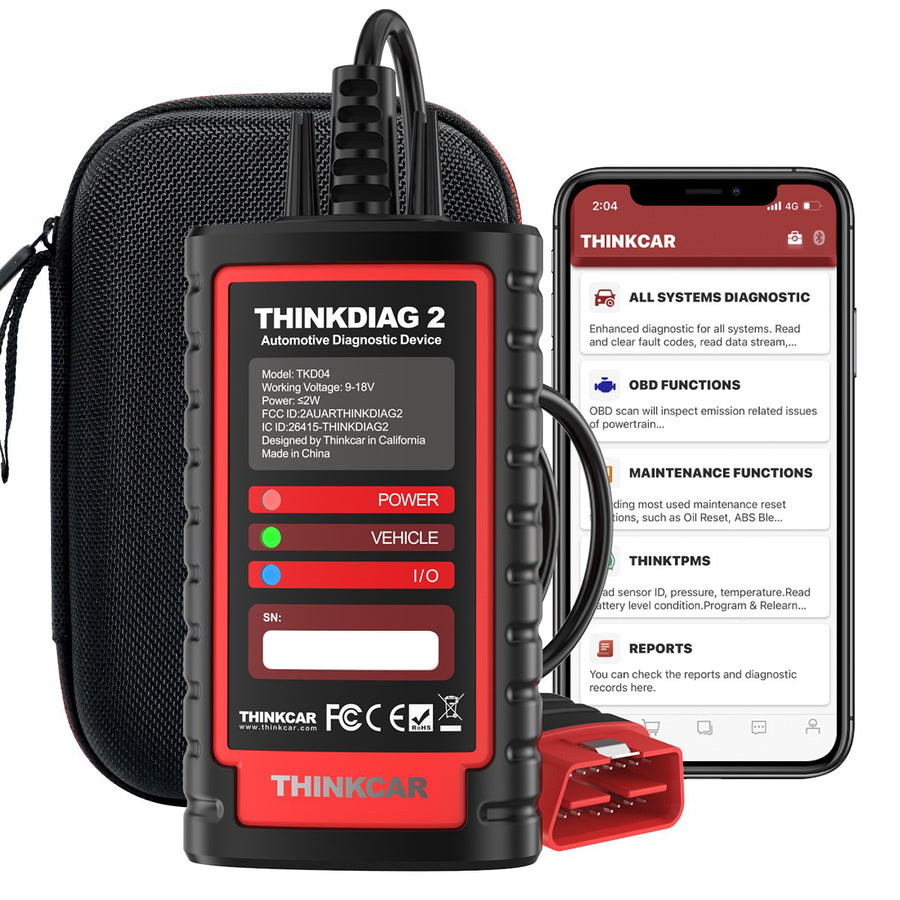
THINKDIAG 2
The same pocket form factor as the BT200, but with OE-level access: all systems, bidirectional tests, coding and adaptation, driven from an Android or iOS phone.
- CAN FD support, so it reaches newer GM and Ford modules
- ECU coding, bidirectional/active tests, adaptation and matching
- Reads all systems — ECM, TCM, ABS, SRS, BCM, IMM, BMS, TPMS, SAS and more
- Prints a vehicle health report and graphs live data
- Software updates are free for one year, then chargeable
- Sixteen maintenance functions — fewer than the tablets below
- Needs Android 5.0 or iOS 9.0 and up; an older phone is a dead end
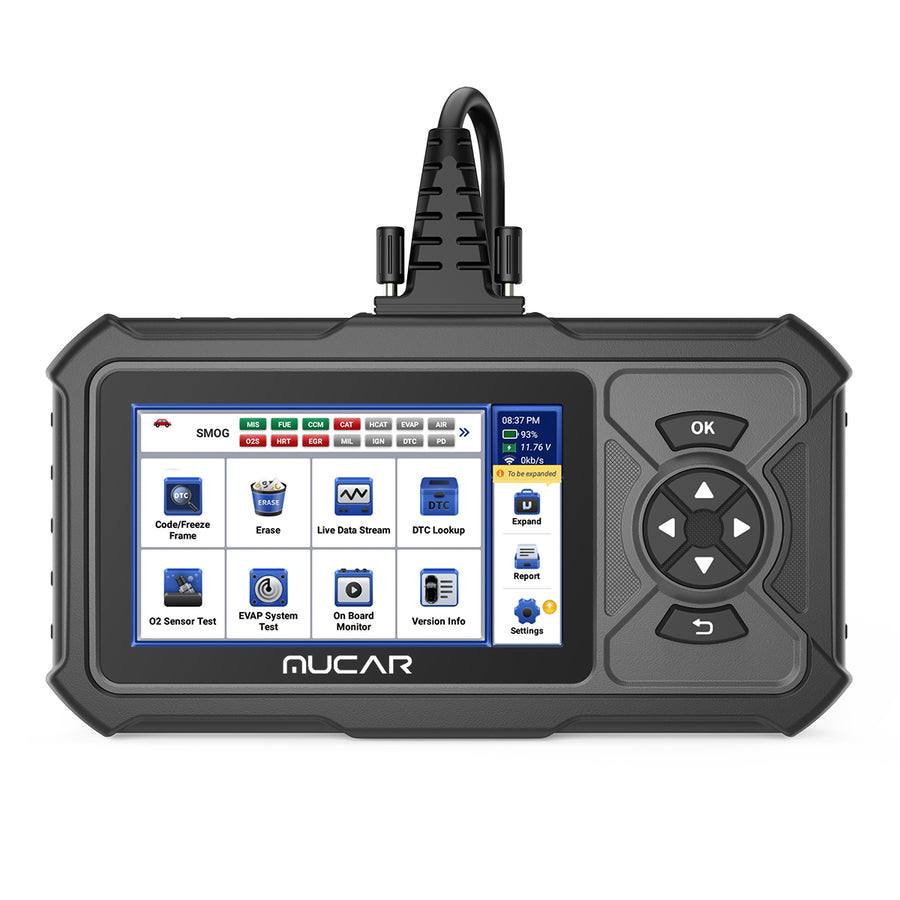
MUCAR CDE900 PRO
A handheld tablet that starts as a code reader and unlocks upward: ABS/SRS/TCM/ECM first, then full-system, 28 maintenance functions and bidirectional control.
- Bidirectional tests without a workshop-grade tablet
- 28 maintenance functions once fully unlocked
- Auto-generated health report and data logging with playback
- Lifetime updates on the base functions
- The useful capability sits behind paid upgrade packages, not in the box
- No J2534 pass-through and no topology map
- Smaller screen than the 8-inch tablets, which hurts on live-data graphs
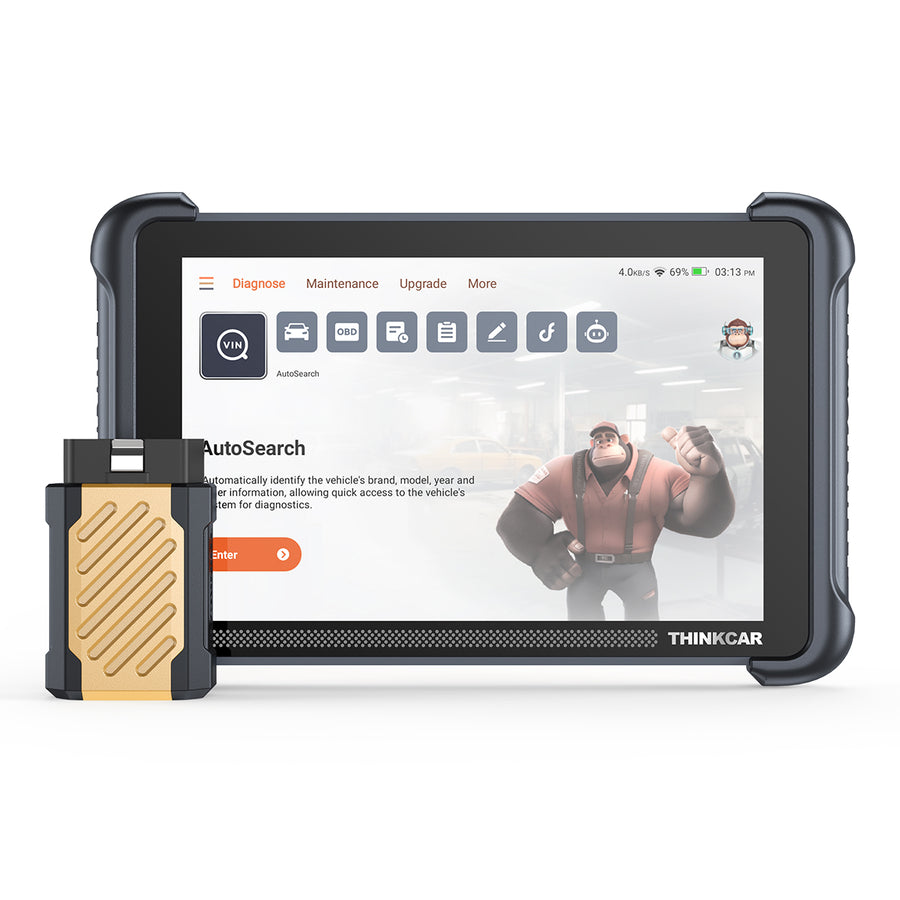
THINKSCAN 689BT
An 8-inch Android tablet with a Bluetooth VCI, so you can sit in the driver seat while the dongle stays at the port. Full system coverage, coding and 34+ service functions.
- CAN-FD and DoIP, which newer vehicles increasingly require
- AutoAuth for FCA security gateway — Chrysler, Dodge, Jeep and Ram without a workaround
- ECU coding plus bidirectional/active tests
- Expandable with TPMS tool, endoscope and oscilloscope
- 4GB RAM / 64GB storage and 2.4G/5G WiFi updating
- A tablet to charge, store and eventually replace
- Software renewal becomes a recurring cost after the free period
- The expansion accessories are separate purchases, not bundled
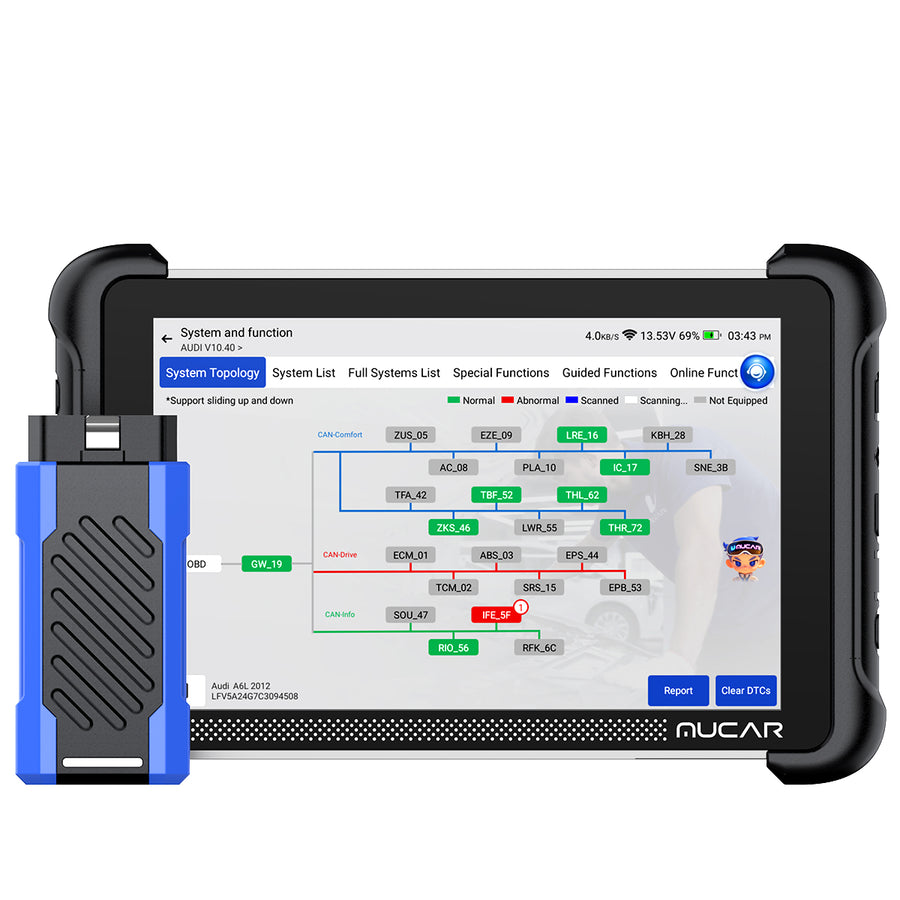
MUCAR 892BT PRO
The tool you want when the fault is “no communication with module” rather than a single stored code. It draws the vehicle network as a topology map so you can see which node dropped off the bus.
- Topology map showing every module and which ones are not answering
- J2534 pass-through, so it can run OEM software workflows
- 35+ resets, CAN-FD and DoIP
- ECU coding and active tests
- Takes the TKEY101 key tool, TPMS devices and the endoscope
- Topology and J2534 are wasted on someone servicing one family car
- J2534 only opens the door — OEM subscriptions are a separate cost
- The built-in AI repair suggestions are hints, not a diagnosis
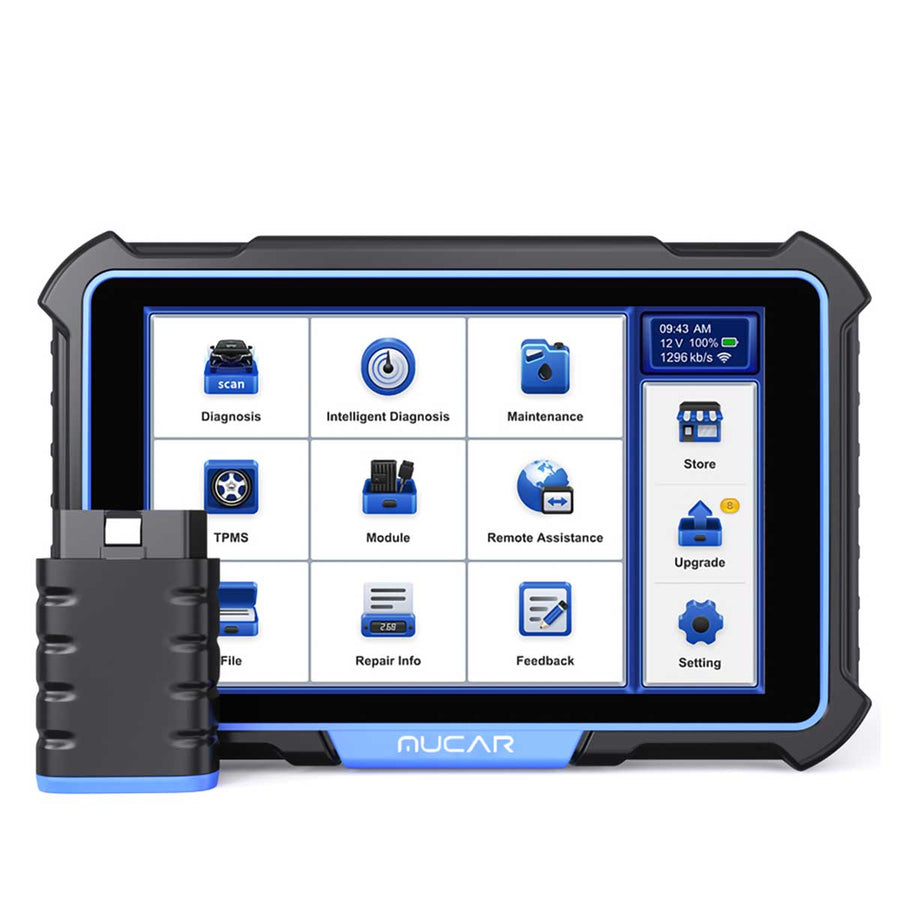
MUCAR VO8
The top of the range: OE-level full-system diagnosis, roughly 3,000 bidirectional and active tests, a battery that lasts a working day and an 8MP camera for documenting what you find.
- Around 3,000 bidirectional/active tests — most checks happen without disassembly
- Advanced ECU coding and 34+ maintenance functions
- No subscription or annual fee; updates are free for the life of the tool
- 9450mAh battery and a bundled accessory toolkit
- Step-by-step guided repair for the VW/Audi group
- Far more tool than a single-car household will ever use
- Large and heavy next to a dongle
- Guided repair depth is strongest on VAG cars, thinner elsewhere
Each tool in detail
1. MUCAR CDL20 — the simplest way to read a check-engine light
The CDL20 is deliberately unambitious and better for it. It draws power from the OBD port, so there is no battery to be flat when you need it, and it has no app, no pairing and no account. You plug it in, it identifies the vehicle, and it gives you the stored codes with their definitions from a built-in library.
Beyond read and clear it covers the full generic OBD2 set: I/M readiness so you can check the monitors before an emissions test, freeze frame to see the conditions when the fault set, live data, the O2 sensor and on-board monitor tests, and the EVAP system test. One-click diagnosis generates a report. It supports seven interface languages and carries a lifetime warranty with lifetime free updates.
Who it is wrong for: anyone who wants to know why the ABS or airbag light is on. Those systems are outside the OBD2 standard and this tool cannot see them. It also does no service resets and no bidirectional tests, so it will narrow a problem and then hand it over.
2. MUCAR CS4 — adds ABS, airbag and transmission
The CS4 is the first rung where the tool reads manufacturer-specific systems rather than only the emissions set. It covers four: engine, transmission, ABS and airbag — which is, not coincidentally, the list of things that will fail a safety inspection or leave you stranded.
Five reset services come with it, including the oil service reset that otherwise means a trip to a shop after every DIY oil change. AutoVIN reads the vehicle identification directly instead of making you work through make-model-year menus, and live data can be recorded and played back so you can capture an intermittent fault on a drive and study it afterwards.
Who it is wrong for: anyone with a fault in a body, comfort or infotainment module — those are outside the four systems. There are no bidirectional tests here either, so you can read a stuck EGR valve code but not command the valve to prove it.
3. MUCAR BT200 — best if you would rather use your phone
The BT200 is a small Bluetooth interface that lives in the OBD port permanently and puts the interface on a device you already carry. Despite the size it does full-system diagnosis rather than the four-system subset, across a stated 115 major manufacturers, and both the OBD2 functions and the full-system scan are free for the life of the tool.
AutoVIN handles identification, the Bluetooth link is quick to re-establish, and the app shows four live data streams at once alongside online maintenance resources. Twelve interface languages is unusually generous at this level.
Who it is wrong for: anyone counting on the reset functions. The base BT200 includes two reset services; the PRO variant carries fifteen, and both run on a one-year term rather than lifetime. Check which variant you are buying. And if your phone dies in a cold garage, so does your scanner.
4. THINKDIAG 2 — a dongle that still does ECU coding
THINKDIAG 2 is the same pocket form factor as the BT200 with a materially larger toolset. It adds CAN FD, which matters because a growing number of recent GM and Ford modules will not answer a tool without it. It reads every system — ECM, TCM, ABS, SRS, BCM, IMM, BMS, TPMS, SAS, fuel, lighting, wipers — and adds ECU coding, bidirectional and active tests, adaptation and matching.
It graphs and records live data, prints a vehicle health report, and covers 120+ car brands with sixteen maintenance functions. Twelve languages, and it needs Android 5.0 or iOS 9.0 upwards.
Who it is wrong for: anyone planning to keep a tool for a decade without paying again. Updates are free for one year and chargeable after that. The sixteen maintenance functions are also noticeably fewer than the 34+ on the tablets, so if a specific reset is the reason you are buying, check it is on the list.
5. MUCAR CDE900 PRO — the cheapest route to bidirectional tests
The CDE900 PRO is a handheld tablet built around a tiered model. In its base state it reads and clears codes with DTC definitions, logs and replays data, generates a health report and gives you an online chat line to support, with lifetime updates on that core.
The upgrades are where it becomes interesting: an ABS/SRS/TCM/ECM package, then full-system diagnosis, then 28 maintenance functions and bidirectional control. That last one is the reason to consider it at all — commanding a component and watching whether it responds is the single most useful diagnostic capability there is, and this is the cheapest place in the range to get it.
Who it is wrong for: anyone who dislikes buying capability twice. What arrives in the box is a code reader; the tool described on the spec sheet costs more than the sticker. There is no J2534 pass-through and no topology map, and the screen is smaller than the 8-inch tablets, which is felt most when you are reading live-data graphs.
6. THINKSCAN 689BT — best all-round tablet for a serious DIYer
The 689BT is the model we would point most people at who have decided they want a tablet. It is an 8-inch Android device with 4GB of RAM and 64GB of storage, paired with a Bluetooth VCI that stays plugged in under the dash — so you can sit in the driver seat operating a pedal while watching data, instead of leaning over a cable.
The function list is properly complete: all-system diagnosis, ECU coding, bidirectional and active tests, 34+ maintenance functions, AutoVIN and AutoScan, and support for both CAN-FD and DoIP. AutoAuth for the FCA security gateway is built in, which is what makes it usable on post-2018 Chrysler, Dodge, Jeep and Ram vehicles without a separate bypass cable. It updates over 2.4G or 5G WiFi and expands with the brand TPMS tools, endoscopes and oscilloscopes.
Who it is wrong for: anyone who wants a one-off purchase with no ongoing thought. Software renewal becomes a recurring cost once the free period ends, the expansion accessories are separate purchases, and it is a device you must charge and store.
7. MUCAR 892BT PRO — best for chasing network and comms faults
The 892BT PRO exists for a specific and miserable class of problem: the fault that reports as “no communication with module” rather than as a code. Its topology map draws the vehicle network as a diagram of every control unit and the buses connecting them, flagging which nodes are not answering. That turns a wiring hunt into a look at a picture.
Underneath it is a peer of the 689BT — 35+ resets, CAN-FD, DoIP, ECU coding, active tests, free lifetime updates — with J2534 pass-through added, which lets the tablet act as the interface for manufacturer software rather than only its own. It takes the same accessory family: the TKEY101 key tool, the TPMS devices and the endoscope.
Who it is wrong for: almost anyone servicing a single family car. Topology mapping and J2534 are professional capabilities and you pay for them whether or not you use them. J2534 also only opens the door — the OEM software subscriptions behind it are a separate and not small cost. The built-in AI repair suggestions are a starting point, not a diagnosis.
8. MUCAR VO8 — the most capable, and priced accordingly
The VO8 is the top of the range and the only one that makes a clean promise about money: no subscriptions, no annual fees, free lifetime updates. In a category built on renewals, that is worth more than a feature bullet.
What it does: OE-level full-system diagnosis with AutoVIN, advanced ECU coding, roughly 3,000 bidirectional and active tests — enough that most checks happen without taking anything apart — and 34+ maintenance functions. It carries a 9450mAh battery, which is roughly double what tablets in this class usually offer and the difference between finishing a job and hunting for a charger. An 8MP camera lets you document what you find, and a professional accessory toolkit is included rather than sold alongside. For Volkswagen group cars there is a step-by-step guided repair path for complex faults.
Who it is wrong for: a one-car household, comfortably. It is also large and heavy next to a dongle, and the guided-repair depth that makes it special is strongest on VAG vehicles and thinner elsewhere.
How to choose: five questions
1. How many systems do you actually need to see?
An OBD2-only reader such as the CDL20 covers the engine and emissions systems — legally mandated on every car sold in the US since 1996, and the reason a cheap reader works on anything. Everything else in your car speaks a manufacturer-specific dialect. The moment you want to know why the ABS light is on, you need a tool that reads beyond OBD2: the CS4 for the four core systems, anything from the BT200 upward for all of them.
2. Do you need the car to talk back?
Bidirectional control is the difference between “the code says the EGR valve is stuck” and commanding the valve open while you watch whether it moves. It turns a two-hour parts-swapping exercise into a five-minute test. The CDE900 PRO is the cheapest entry point here; the 689BT, 892BT PRO and VO8 all have it natively.
3. How new is the car?
CAN-FD and DoIP are newer in-vehicle network protocols, and a tool without them simply will not connect to some modules on recent GM, Ford and European vehicles. The CDL20, CS4 and BT200 do not list CAN-FD. THINKDIAG 2, the 689BT, 892BT PRO and VO8 do. If your newest car is from the last few model years, treat this as a filter rather than a preference.
4. Is there a Chrysler, Dodge, Jeep or Ram in the driveway?
Since 2018 those vehicles sit behind a security gateway module that blocks write commands and many bidirectional functions from unauthorised tools. You either add an SGW bypass cable or use a tool with AutoAuth built in. The 689BT lists AutoAuth for FCA SGW; THINKCAR also sells a 12+8 bypass adapter separately. Ignoring this is the most common reason a new scanner appears to be broken on an FCA vehicle.
5. Do you want a screen or not?
This is more consequential than it sounds. A dongle lives permanently in the OBD port, costs nothing to store, and dies the day the app stops supporting your phone. A tablet keeps working independent of your phone, but it is a device you must charge, find and eventually replace. Households that already diagnose things on a phone tend to be happy with the BT200 or THINKDIAG 2; anyone who works on cars with dirty hands in a cold garage usually prefers a tablet.
Code reader, dongle or tablet?
Code readers (CDL20) do one job and never need charging, updating or pairing. If the only question you ever ask is “why is the light on, and is it safe to drive to the shop”, this is the correct answer and the rest of the range is a waste.
Bluetooth dongles (BT200, THINKDIAG 2) put workshop-level function in a device the size of a matchbox, at the cost of tying your diagnostics to a phone and an app. THINKDIAG 2 is the more capable of the two because it adds coding, CAN FD and bidirectional tests; BT200 is the simpler full-system reader.
Tablets (CDE900 PRO, 689BT, 892BT PRO, VO8) are self-contained. The 689BT and 892BT PRO use a Bluetooth VCI, which means the box stays at the OBD port under the dash and you carry the screen — a bigger quality-of-life gain than it sounds when you are trying to watch live data while operating a pedal.
The subscription question
Read the update terms before the feature list. Across this range the pattern is consistent and worth stating plainly: basic OBD2 function is usually free forever, full-system diagnosis is often free forever, and the maintenance and reset functions — the oil resets, electronic parking brake retractions, steering angle calibrations — are where the clock runs. The CDL20 and VO8 are the two that advertise no recurring cost at all. THINKDIAG 2 gives a year. The CDE900 series sells its capability as upgrade packages.
The practical consequence: a tool whose reset functions have lapsed still reads and clears codes. It does not become a brick. But the one function you will want at an awkward moment — retracting an electronic parking brake so you can change rear pads — is usually the one behind the renewal.
FAQ
Will any of these work on my car?
Every one of them handles the generic OBD2 protocol, which covers essentially all petrol cars sold in the US from 1996 and diesels from 2004. Coverage for the manufacturer-specific systems varies by tool and by model year, and the vehicle lists are long and change with updates. Check the coverage list for your exact year and make on the product page before buying rather than assuming.
Can a scanner clear an airbag light?
It can clear the stored code. Whether the light stays off depends entirely on whether the underlying fault is gone — a disconnected seat sensor connector will set it again in seconds. Clearing an SRS code without fixing the cause leaves you with a system that may not deploy when it should, which is why we would not treat this as a DIY win.
Does clearing codes help me pass an emissions test?
It does the opposite. Clearing codes resets the readiness monitors, and most states fail a vehicle that arrives with monitors incomplete. After a repair you need a drive cycle — typically a mix of cold start, steady highway and city driving over several trips — before the monitors set. The I/M readiness function on these tools is there so you can check that before you queue at the test centre.
What is a topology map and do I need one?
It is a diagram of the vehicle network showing every control module and how they are wired together, with the ones that are not responding flagged. It is superb for “no communication” faults and irrelevant for everything else. Unless you are diagnosing other people’s cars, you probably do not need it.
Are THINKCAR and MUCAR the same company?
They are sister brands sold through the same store, and they share accessories — the endoscope, the TPMS tools and the key programmers cross over between the flagship tablets. Treat the model number as the thing that matters, not the badge on the case.
If you want the wider view of the brand rather than a single tool, our THINKCAR and MUCAR review covers the accessories, the update policy and who the range is genuinely for.