 Victoria

Keychron did something unusual in a hobbyist market: it made enthusiast keyboard features ordinary. Hot-swap sockets, QMK firmware, gasket mounting, PBT keycaps and aluminium cases used to come from small-batch group orders. Keychron sells them from stock, in dozens of variants, with a Mac layout in the box.
This review covers what that gets you, where the range gets confusing, and where we think the brand is genuinely weak. We have not typed on these boards, so nothing here is a hands-on test; it is a reading of the published specifications and of what the product structure tells you. Where we are inferring, we say so.
What Keychron gets right
Three things, and they are why the brand dominates recommendations. Hot-swap sockets are standard across most of the range, so a wrong switch choice costs an afternoon rather than a keyboard. QMK support reaches well down into the budget V series, so remapping, layers and macros live on the board rather than in software installed on every machine. And the Mac layout is a first-class citizen, with both keycap sets in the box.
The specifications are published properly too. Layout, connectivity, polling rate, switch type, case material, plate material, keycap material, battery capacity and weight appear on the product pages in a consistent format. That sounds unremarkable until you try to find the same list on a mainstream peripheral maker site.
Where the range goes wrong
The naming is the main failure. K2, Q1, V6, B40, K3 Ultra, Q6 HE: nothing in those names tells a newcomer which is better, which is newer, or what the difference is. Several generations of the same model circulate at once, and Ultra, Max, Pro and SE suffixes mean different things in different families. We wrote a separate guide to which Keychron keyboard to buy largely because the catalogue does not answer that question itself.
The second problem is specification inflation. An 8000 Hz polling rate is now advertised across boards whose buyers are typing, not competing, and it is presented as a headline feature rather than a gaming specification. It does no harm, and it is the kind of number that makes people buy the wrong model.
Where to start
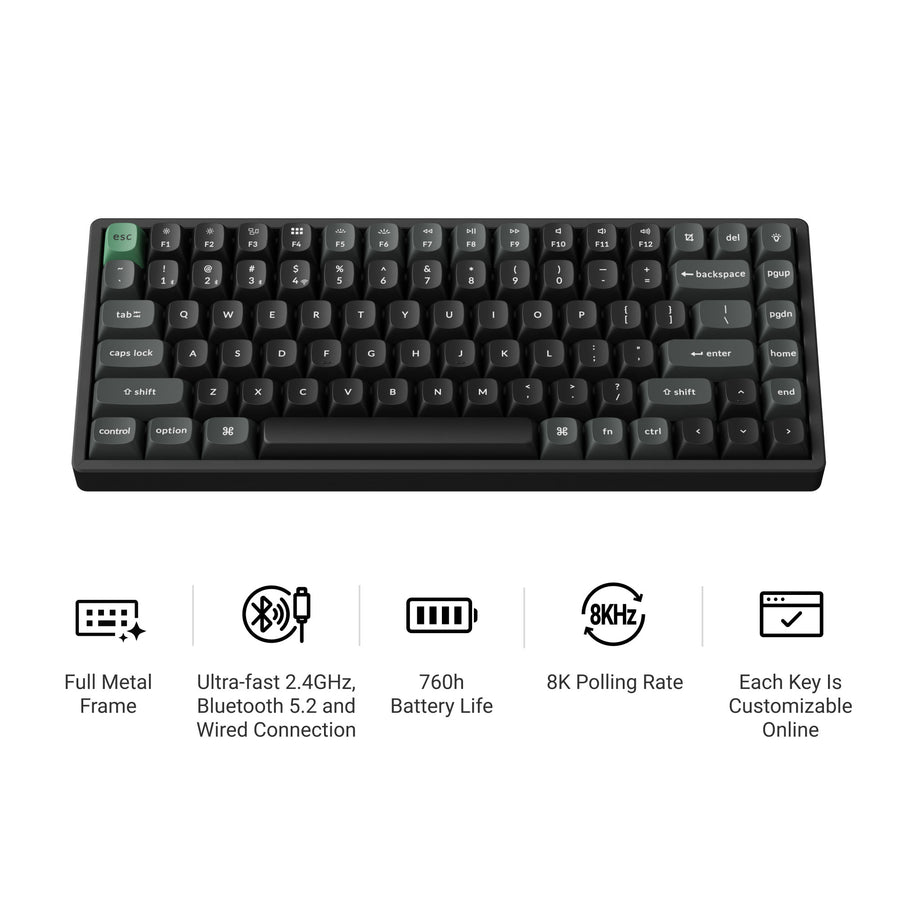
Keychron K2 Ultra 8K
75% layout, tri-mode wireless, 8000 Hz polling, hot-swap switches, CNC aluminium and steel plate, 760 hours of battery in wireless 8K mode.
- 75% layout keeps arrow keys and a function row
- 2.4 GHz, Bluetooth and wired
- Hot-swappable, so switches can change without soldering
- Double-shot PBT keycaps
- 75% is still a compromise if you use a numpad daily
- 8000 Hz polling is wasted on typing
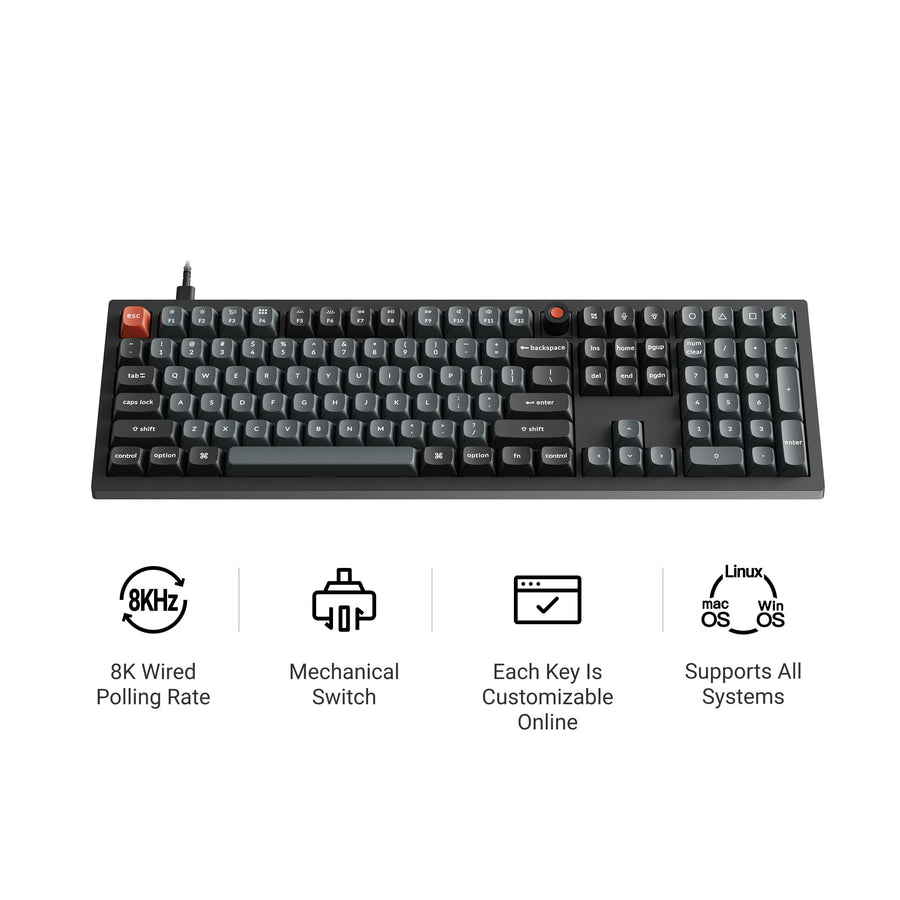
Keychron V6 8K
Full-size wired QMK board in plastic with a knob, hot-swap sockets and PBT keycaps. The cheapest route in that is not a compromise.
- QMK support at the lowest point in the range
- Hot-swappable
- PBT keycaps, not ABS
- Knob included
- Wired only
- Plastic tray mount, so it sounds and feels less premium
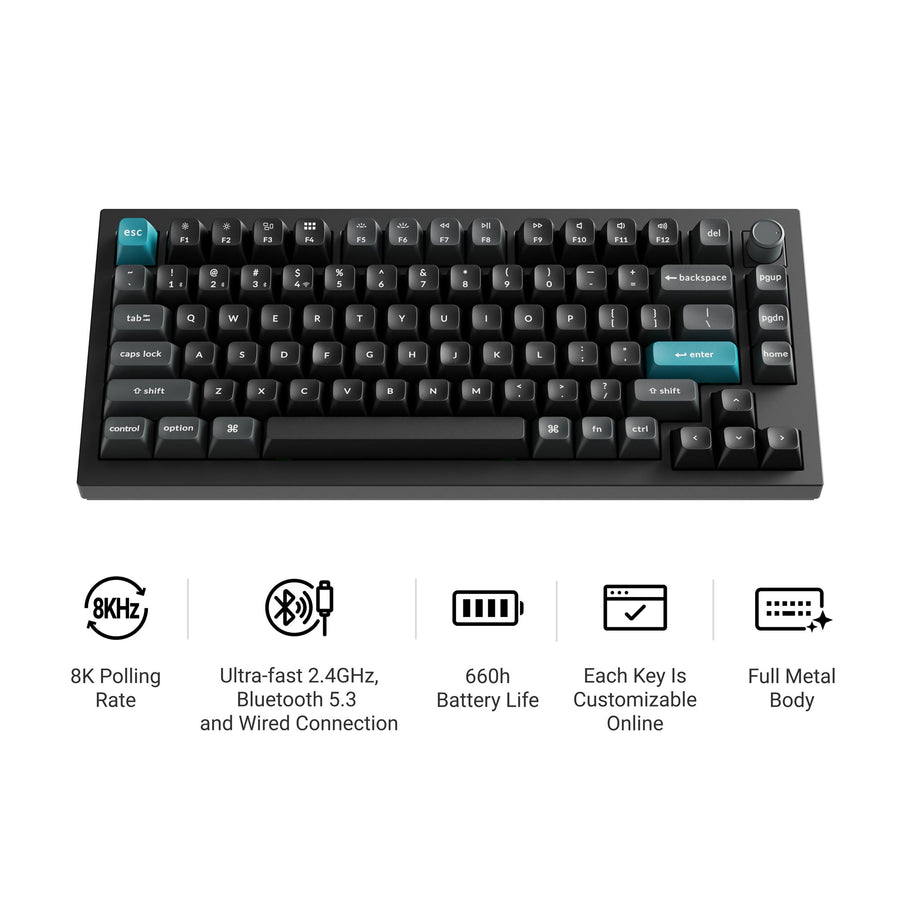
Keychron Q1 Ultra 8K
The same 75% layout in a full metal body with a knob, wireless, and the heavier acoustic treatment the Q series is known for.
- Full aluminium body, not plastic
- Rotary knob
- Wireless, unlike earlier Q boards
- Silk POM switch options
- Heavy enough that it is not a laptop bag keyboard
- You pay a lot for the case, not the electronics
Who should look elsewhere
If you want a keyboard that is silent, a mechanical board is the wrong category and the B40 with its scissor switches is the only sensible answer in this range. If you want the absolute best-sounding board and money is genuinely not a factor, boutique makers still beat the Q series, at the cost of waiting months for a group buy.
And if you want a keyboard to arrive, work and never be thought about again, this brand invites the opposite. Hot-swap sockets, QMK layers and a large accessory catalogue are an invitation to tinker. Some people find that a feature. Others open the box, plug it in, and would have been happier with something that offered fewer choices.
Common questions
Is Keychron good for Mac users specifically?
It is the obvious answer for Mac, and has been for years. Boards ship with both keycap sets and a layout toggle, so command and option sit where you expect without remapping. Most models list macOS, iOS, Windows, Android and Linux support.
Are the in-house switches any good?
Keychron now makes several of its own switch lines, including the Apex, Silk POM, Milk POM and Super series, and sells boards fitted with them. We have not tested them and will not claim a feel we have not experienced. What matters practically is that the sockets are hot-swap on most models, so if you dislike the supplied switches you are not stuck with them.
Does the aluminium case actually make a difference?
Yes, though not for the reason people assume. The case material matters less than the mounting and the internal damping that come with it. A gasket-mounted board with foam sounds fuller and more even than a tray-mounted plastic one. Whether that is worth the difference in price is a personal question, and plenty of people cannot hear it.
How long do the batteries last in practice?
The published figures, such as 760 hours on the K2 Ultra in wireless 8K mode, assume the backlight is off or low. Running RGB at full brightness reduces that dramatically on any keyboard. Treat the headline number as the best case and expect to charge weekly if you like the lights on.
The verdict
Keychron is the default recommendation for good reasons: hot-swap sockets and QMK at prices that used to buy neither, Mac support done properly, and specifications published in full. The weaknesses are a naming scheme that actively obstructs choosing, and headline numbers aimed at gamers appearing on boards bought by typists. Decide your layout first, insist on hot-swap, ignore the polling rate unless you compete, and it is very hard to buy badly from this brand.